
Celebrate your colleague.
Bring everyone together in one link.
Set up the occasion, collect money for a group gift and gather messages, photos and videos from colleagues. Your colleague receives the money in their bank account to spend on something they want.
Free to set up. Contributors don’t need an account.

01 / Bring it together
One celebration
ends up in five
different places.

The details go in an email. The gift gets discussed in a group chat. Someone collects the money, and someone else passes a card around. Often, you’re the person keeping track of it all.
Givva puts the occasion details, gift fund and personal messages in one link.
02 / Set up the celebration
Everything starts
with the occasion.
Add the occasion details and a message for colleagues. If you’re planning a get-together, include the date, time and location, and manage RSVPs in the same place.
Set up the group gift fund, then share one link with colleagues.
One group gift.
No separate collection to organize.
Colleagues contribute money to one gift fund. They choose how much to give, and the recipient gets the pooled money in their bank account.
How contributions work
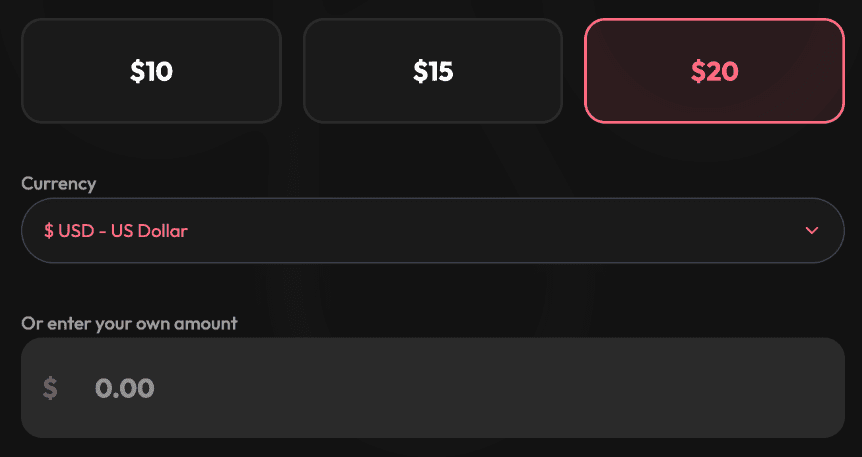
You can suggest amounts, but colleagues choose whether to contribute and how much to give. They can also leave a message without giving money. Individual amounts stay private from the recipient and other guests.
What are the fees?
Givva is free for organizers and recipients. Contributors pay a 5% Givva fee plus Stripe’s payment-processing fee of 2.9% + $0.30. Fees are added on top of the contribution so the recipient receives the full amount given.
| Contribution | $25.00 |
|---|---|
| Givva fee | $1.25 |
| Stripe fee | $1.03 |
| Total | $27.28 |
| Recipient receives | $25.00 |
Contribute to the group gift
It’s still
a gift.
Colleagues can add a message, photo or video.
Thank them for their help. Share a photo from a team day. Tell them what you’ll miss about working together.
It all goes with the gift.

A photo, a shared memory, a thank-you.
03 / An optional cause
Support a Cause
Choose a cause when you set up the occasion. Guests can decide whether to put part of their contribution toward it.
Powered by

They get more
than a transfer.
Your colleague receives the money in their bank account to use as they wish. They can also see the personal messages, photos and videos the group added.
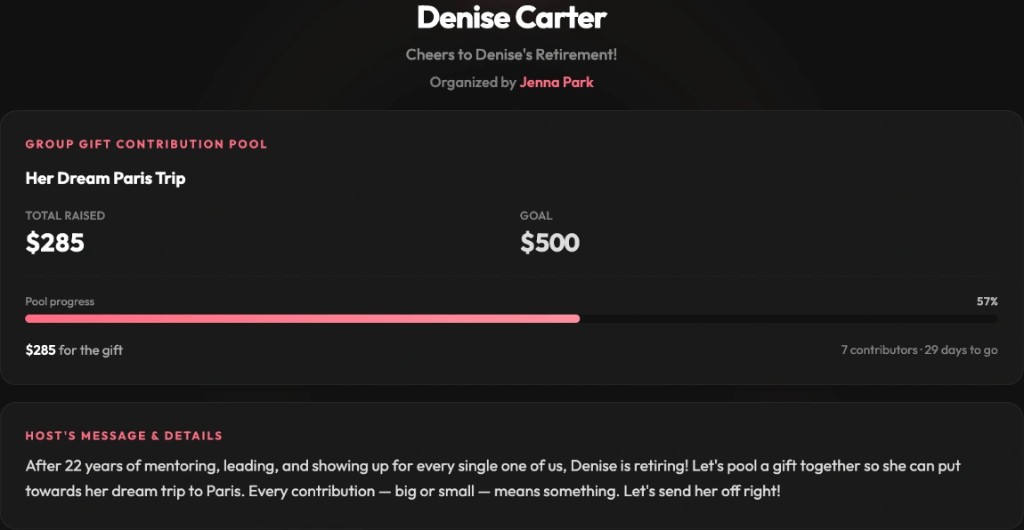
Group gift contribution pool
Her Dream Paris Trip
Total raised
$285
Goal
$500
The group

Hannah Brooks
Contributor

Daniel Osei
Contributor

Rachel Kim
Contributor
Denise’s retirement gift fund and personal messages.
Individual amounts stay private from the recipient and other guests.

They can say thank you.
After receiving the gift, your colleague can send a thank-you back to everyone through Givva.
04 / Keep the occasion moving
Fewer
moving
parts.
Start a group gift- 01Plan it
- 02Invite everyone
- 03Add the gift
- 04Make it personal
- 05Support a cause
- 06Say thank you
For the people
you work with.
A farewell, a new baby, a milestone birthday or retirement. Bring colleagues together to give one person a gift and something personal from the group.
Retirement05 / A little clarity
A few things you
might be wondering.
Do guests need an account?
Guests do not need an account.
Do I need to know the final gift in advance?
The organizer does not need to know the final gift in advance.
Can guests leave a message without contributing?
Guests can leave a message without contributing.
Who can see individual contribution amounts?
The recipient can see who contributed. Individual amounts stay private from the recipient and other guests.
Are there fees?
Givva is free for organizers and recipients. Contributors pay a 5% Givva fee plus Stripe’s payment-processing fee of 2.9% + $0.30. Fees are added on top of the contribution so the recipient receives the full amount given.
| Contribution | $25.00 |
|---|---|
| Givva fee | $1.25 |
| Stripe fee | $1.03 |
| Total | $27.28 |
| Recipient receives | $25.00 |
How does the recipient receive the gift fund?
Recipients complete Stripe identity verification and provide bank information to receive the gift fund.
Organizing a gift
for a colleague?
Create the occasion and gift fund, then share the link so colleagues can contribute and add a message.
Start a group giftFree to set up. Contributors don’t need an account.